Inner column wrapped for landing_page — product_page already wraps body_html in an article (see preview-product).
How to use this page
This file is the consolidated machine-readable reference for the Forge kitchensink showcase. Each section follows the same shape: Purpose (when to use it), Styling (CSS classes and tokens), Markup (DOM pattern or Python emitter), Behavior (client scripts, if any), then a live example. The canonical stylesheet for this shell is css/forge-theme.css (imported as assets/forge-theme.css in generated pages). Bootstrap 5.3 provides utilities (.d-flex, .gap-*, .mb-*) layered on top of Forge tokens (--forge-*).
Scope
This page documents the handbook/showcase theme. Product marketing pages use forgesdlc-theme.css and fs-* classes — see the Product theme and Presentation primitives sections. Full-page shells are Python functions in components/layouts.py. CSS order: forge-theme.css → forgesdlc-theme.css (product_chrome_css_href) → site overrides (extra_css) — see generator/ks_assets.py.
Tokens · Color palette
- Purpose
- Semantic colors for backgrounds, surfaces, accents, and text hierarchy. Always prefer
var(--forge-*)over raw hex in custom CSS so light/dark and future tweaks stay consistent. - Styling
- Tokens live on
:rootinforge-theme.css/forge-light-theme.css. Key names:--forge-bg,--forge-surface,--forge-surface-2,--forge-amber,--forge-cyan,--forge-orange,--forge-emerald,--forge-textthrough--forge-text-4,--forge-border. - Markup
- Reference in inline styles:
style="color:var(--forge-cyan)"or in CSS rules. Swatch UI uses.ks-swatch,.ks-swatch-box,.ks-swatch-label. - Behavior
forge-theme.jssetsdata-bs-themeon<html>from cookieforge_color_scheme(light / dark / auto). Tokens swap via CSS when the theme changes.- Python
- No dedicated renderer — use tokens in strings you pass to
render_*helpers or in generator templates.
Example
bg
surface
amber
cyan
emerald
text-3
Tokens · Typography
- Purpose
- Display headings, body, labels, and monospace code. Keeps handbook and showcase visually aligned with brand fonts.
- Styling
.font-display— Proxima Nova Black (900). Body uses Open Sans..font-label/.section-labelfor small labels..forge-support— muted explanatory text..forge-gradient-text— amber→cyan gradient on display text. Utilities:.text-amber,.text-cyan,.text-dim,.text-dim-2,.text-muted-4. CSS variables:--font-display,--font-label,--font-mono.- Markup
- Apply classes to
<h1>–<h3>,<p>,<span>. Links in prose pick up cyan styling from theme rules. - Python
e(s)/e_content(s)/bold(s)incomponents/components.pyescape text for safe HTML insertion.
Example
Display heading
Body with strong, link, inline code.
Support line — smaller, lower contrast.
Gradient display text
amber · cyan · dim
bold("…") → sample
Tokens · Spacing & layout width
- Purpose
- Rhythm between blocks; content max-width for readability.
- Styling
- Bootstrap spacing:
.p-*,.m-*,.gap-*,.g-*on grids. Showcase sections use.ks-sectionand.ks-section-titlefor vertical rhythm. Typical content caps: ~56rem article column, wider for landing — see theme comments inforge-theme.css. - Markup
- Wrap page sections in
<section class="ks-section" id="…">soshowcase.jsscroll-spy can track them (requires anid).
Example
| Utility | Role |
|---|---|
.mb-3 | Margin below a block |
.gap-3 | Flex/grid gap (1rem) |
Surfaces · Glass panels
- Purpose
- Frosted panels for cards, stats, and dashboard tiles.
- Styling
.glass— default cyan-accent hover glow..glass-amber— amber border/glow on hover..glass-solid— opaque surface, less blur. Often combined with.p-3/.p-4.- Markup
<div class="glass p-3">…</div>
Example
Glass
Cyan hover glow.
Glass amber
Amber accent.
Glass solid
Solid fill.
Surfaces · Cards
- Purpose
- Clickable or static tiles with hover “breathe” border animation.
- Styling
.forge-cardbase..card-amberfor amber accent variant..breathe-linkon<a>(interactive)..breathe-staticon<div>(decorative)..card-labelfor small upper label inside card.- Markup
- Link card:
<a class="forge-card breathe-link" href="…">. Static:<div class="forge-card breathe-static">.
Example
Surfaces · Bento grid
- Purpose
- Responsive grid of equal cells (often glass tiles).
- Styling
- Container
.bento-grid. Column template:.bento-3(three columns → one column on small screens). - Markup
<div class="bento-grid bento-3">with glass children.
Example
Cell 1
Cell 2
Cell 3
Surfaces · Tables
- Purpose
- Data tables with Forge striping and horizontal scroll on narrow viewports.
- Styling
- Wrap
<table>in.forge-table-wrap. Table classes:.table,.table-sm,.table-striped, optional.mb-0. - Python
render_table(headers, rows, striped=True, cell_escape=False)andrender_io_table(rows)emit the wrap + table.
Example (Python-generated)
| Column A | Column B |
|---|---|
| Alpha | One |
| Beta | Two |
Surfaces · Dividers
- Purpose
- Section break without heavy chrome.
- Styling
<hr class="forge-divider">— gradient rule using token colors.
Example
Above the line
Below the line
Controls · Badges
- Purpose
- Compact status or tag chips.
- Styling
- Base
.forge-badgeplus tone:.badge-cyan,.badge-amber,.badge-emerald,.badge-red,.badge-dim. - Markup
<span class="forge-badge badge-cyan">Label</span>
Example
Cyan
Amber
Emerald
Red
Dim
Controls · Callouts / alerts
- Purpose
- Highlighted notes: info, warning, success, error, neutral surface.
- Styling
- Wrapper
.forge-callout+ variant:.forge-callout-cyan,.forge-callout-amber,.forge-callout-emerald,.forge-callout-red,.forge-callout-surface. Optional.callout-labelwith.text-cyan/.text-amberetc. For a pinned toolbar inshowcase_pagemain content, use.ks-sticky-panel(sticky below.site-headervia--site-header-h; darker glass surface inforge-theme.css/docs-theme.css). - Python
render_alert(content, variant=…, label=…)maps variantsinfo|warning|success|danger|secondary|lightto those classes. For bespoke markup, hand-write the divs as below.
Example (hand markup)
Info
Cyan callout body.
Example (render_alert)
Note
Generated by render_alert(..., variant="info", label="Note").
Controls · Code blocks & inline
- Purpose
- Syntax-colored blocks (manual spans) or Markdown-derived
<pre>. - Styling
- Block container
.forge-code. Inner spans:.keyword,.highlight,.commentfor demo styling. Markdown pipeline adds.forge-codeto<pre>viaenhance_code_blocksintransforms.py. - Markup
- Inline:
<code>,<kbd>for keys.
Example
def build_page():
# returns HTML string
return layout(body)
Dynamic UI · tier-C factories
- Purpose
- Programmatic control surfaces for app shells: mount, get/set value, onChange, destroy.
- Docs
docs/design/dynamic-ui/API.md· showcase controls.html · data-tables.html- Factories
createPaginationTactile(Pgt),createFilterChipScroller(Fcs),createStickyActionBar(Sab),createGovernedCombobox(Gcb),createSegmentedControl(Svc),createStepperWizard(Swz),createFormController,createDataTable(Dtb),createFilterToolbar(Ftb),createTreeCombobox(Tcb)- Python mounts
render_data_table_mount,render_filter_toolbar_mount,render_tree_combobox_mount,render_governed_combobox_mountincomponents.components- Nav emitters
render_pagination_tactile,render_filter_chip_scroller,render_governed_combobox,render_sticky_action_barinnav_layout.pyemitdata-ks-*hosts for auto-init.
Navigation · More components.py emitters (live)
These helpers are listed in the function inventory; below is runnable output for coverage. render_mobile_nav_button() is omitted here (fixed-position hamburger for the offcanvas shell — see handbook previews).
render_io_table
| Intent | Inputs | Outputs | Participants | Timebox / cadence |
|---|---|---|---|---|
| Ship slice | Repo + CI | Static site | Team | Weekly |
render_template_banner · render_canonical_note
Template
Template — Copy this file into your project and fill in the sections. Do not edit the blueprint original.
Canonical source
Edit docs/example.md first; rebuild the handbook from the blueprints-website repository root with python3 generator/build-handbook.py --all, then python3 generator/inject-portal-nav.py.
render_nav_buttons
render_external_sources_section
Authoritative sources & further reading
- Example spec Short summary of why it matters.
Full curated list with matching blurbs: REFERENCE-LINKS.md (repository path).
render_flow_details_section
Flow details (walkthrough)
Step one
Narrative paragraph for the walkthrough.
Step two
Another beat in the flow.
render_footer
render_toc_sidebar_simple (inner nav only)
render_page_header
Handbook
Page title
One-line intro for handbook-style headers.
render_page_header_chapter
Chapter title
Chapter intro for methodology pages (breadcrumb nav + H1).
render_toc_sidebar (levels 2 vs 3 — extra indent on H3 links)
render_cross_refs · render_authorship_signal
render_tier_nav (product theme — needs forgesdlc-theme.css for full polish)
Product
Docs
render_ks_diagram_block (static SVG tile)

Python · components/components.py API
- Purpose
- Atomic HTML fragments composed by site generators; layouts in
layouts.pywrap full pages. - Escaping
e(s)— full escape for attributes;e_content(s)— for text nodes;bold(s).- Tables
render_table,render_io_table.- Sections
render_section— titled block with optional label.- Diagrams (diagram-as-code)
render_mermaid_block,render_diagrams_section.- Callouts / banners
render_alert,render_template_banner,render_canonical_note.- Nav & content
render_breadcrumbs,render_nav_buttons,render_external_sources_section,render_flow_details_section.- ToC
render_toc_sidebar,render_toc_sidebar_simple— expect heading ids in body.- Chrome
render_skip_link,render_mobile_nav_button,render_footer.- Headers / product
render_page_header,render_page_header_chapter,render_tier_nav,render_cross_refs,render_authorship_signal,render_product_landing_hero,wrap_product_site_article,render_product_footer.
Example (output shape of render_mermaid_block)
showcase_page injects the diagram runtime when the showcase page sets has_mermaid in its PAGE dict (see diagram-code-examples.html). This page sets has_mermaid so the examples below initialize. Forge and handbook builds often pass has_mermaid=False and use has_ks_diagram + static templates instead.
graph LR
A[Agent] --> B[HTML]
render_diagrams_section (uses render_section + multiple Mermaid blocks)
Visualization
Diagrams section helper
Rendered when JavaScript runs. Same diagrams in canonical Markdown.
graph LR
A[Reachable] --> B[Showcase]
Python · Complete function inventory
Every public symbol in components/components.py that emits markup (plus escaping helpers). Parameters and edge cases live in the module docstrings — this table is for coverage checking and routing agents to the right helper.
| Function | Returns | Role / emitted markup |
|---|---|---|
e(s) | str | HTML-escape for attributes (includes quotes). |
e_content(s) | str | Escape for text nodes (no quote encoding). |
bold(s) | str | Wrap escaped content in <strong>. |
render_table(headers, rows, …) | str | Striped Forge table inside .forge-table-wrap. |
render_io_table(rows) | str | Intent/Inputs/Outputs/Participants/Timebox columns via render_table. |
render_section(sid, title, inner, …) | str | Article section: optional top .forge-divider, <section id>, optional .section-label, <h2 class="font-display">. |
render_mermaid_block(diagram, expandable=False) | str | .forge-diagram + .mermaid; if expandable, adds forge-diagram-trigger and openDiagramModal(this). |
render_diagrams_section(title, sid, diagrams) | str | Calls render_section with intro line + one render_mermaid_block per diagram string. |
render_alert(content, variant=…, label=…) | str | Maps Bootstrap-like variants to .forge-callout-*; content is not re-escaped (HTML allowed). |
render_template_banner() | str | Fixed amber template warning via render_alert. |
render_canonical_note(canonical_md, generator=…) | str | Surface callout pointing editors at source Markdown + generator command. |
render_breadcrumbs(crumbs) | str | (href, label) pairs; href=None marks active crumb. |
render_nav_buttons(prev_link, next_link) | str | Prev/next .btn-cyan-outline / .btn-forge-outline row; empty if both unset. |
render_external_sources_section(sid, items, …) | str | Unstyled list of external links + blurbs; optional pointer to REFERENCE-LINKS.md. |
render_flow_details_section(sid, items) | str | Per-diagram narrative: (title, paragraph) tuples as <h3> + paragraph inside render_section. |
render_toc_sidebar(toc) | str | Right column wrapper + .forge-toc; entries (id, text, level) — level 3 links get extra left padding. |
render_toc_sidebar_simple(toc) | str | Same nav markup without level (chapter pages). |
render_skip_link(target="#main") | str | .skip-link anchor for accessibility. |
render_mobile_nav_button(target_id=…) | str | Fixed hamburger .btn-forge toggling Bootstrap offcanvas sidebar. |
render_footer(date, label=…) | str | Muted top-border footer with generation note. |
render_page_header(title, subtitle=…, …) | str | Handbook-style page title block (labels + display heading). |
render_page_header_chapter(…) | str | Chapter variant of page header (methodology pages). |
render_tier_nav(groups) | str | Product sidebar tier groups (used with product_page / fs theme). |
render_cross_refs(items, variant=…) | str | .fs-cross-refs aside; variant="subtle" lowers emphasis. |
render_authorship_signal(lead, support=…) | str | .landing-authorship aside for human direction vs agent output. |
render_product_landing_hero(…) | str | Hero stack: kicker, gradient H1, tagline, CTAs — classes .landing-hero-* in forgesdlc-theme.css. Requires that sheet in <head> via landing_page(product_chrome_css_href="assets/forgesdlc-theme.css") after forge-theme.css. Optional visual_column_extra_class, landing_visual_img_src_2x (raster srcset). |
wrap_product_site_article(inner_html) | str | Wraps body in .fs-main > article for product landing content. |
render_product_footer(…) | str | .fs-footer block with brand line + handbook link. |
render_stage_carousel(slides, …) | str | fs-stage-carousel + track/slides; data-fs-* for autoplay, loop, arrows, dots; variants hero, gallery, testimonial. |
render_rail(items, …) | str | fs-rail scroll-snap scroller; variants cards, logos, media; optional wheel hijack via rail_wheel. |
render_card_rail(items, …) | str | Wrapper: render_rail(..., variant="cards"); topic preview tiles use data-fs-rail-action="topic". |
render_hero_carousel / render_gallery_carousel / render_thumb_gallery / render_testimonial_slider / render_logo_strip | str | Thin wrappers over stage carousel and rail with preset modifiers (fs-hero-carousel, logo grid/marquee, etc.). |
Transforms · components/transforms.py
- Purpose
- Post-process Markdown-generated HTML into Forge-themed markup.
- Order
apply_allruns:convert_mermaid_blocks→convert_ascii_diagram_blocks→convert_ks_diagram_blocks→enhance_tables→enhance_blockquotes→enhance_code_blocks. Returns(html, has_mermaid, has_ks_diagram);has_ks_diagramis true for SVG template fences or ASCII fences withexpand:and a valid catalogkey:.- enhance_tables
- Wraps bare
<table>with.forge-table-wrapand adds.table .table-sm .table-striped. - enhance_blockquotes
- Maps
**Warning**/**Note**/**Template**lead-ins to colored callouts; generic blockquotes become.forge-callout-surface. - enhance_code_blocks
- Adds
.forge-codeto<pre>. - convert_mermaid_blocks
- Finds
language-mermaidandlanguage-mermaid-expandfenced blocks (Markdown```mermaid/```mermaid-expand) and replaces with.forge-diagram+.mermaid. Expand variant addsforge-diagram-trigger+openDiagramModal(runtime path). - convert_ascii_diagram_blocks
language-blueprint-diagram-ascii/language-ks-diagram-ascii→.forge-diagram-ascii+ monospace<pre>; optionalkey:/expand:usesopenDiagramWithDetaillike SVG tiles.- convert_ks_diagram_blocks
- KS-native fences →
.ks-diagram-tile+ SVG<img>; expand usesopenDiagramWithDetail. Layouts setinclude_diagram_expand_modalwhenhas_ks_diagram(or legacyhas_mermaidon showcase). - extract_toc
- Parses
<h2 id>/<h3 id>for right-rail ToC tuples.
Complete API
| Function | Returns | Role |
|---|---|---|
apply_all(html) | tuple[str, bool, bool] | Canonical pipeline end-to-end; returns (html, has_mermaid, has_ks_diagram) for layout script injection (consumers may force has_mermaid=False). |
convert_mermaid_blocks(html) | tuple[str, bool] | Replaces fenced diagram blocks <pre><code class="language-mermaid"> with .forge-diagram + .mermaid. |
convert_ascii_diagram_blocks(html) | tuple[str, bool, bool] | Replaces language-blueprint-diagram-ascii / language-ks-diagram-ascii with .forge-diagram-ascii; third value is true when any block uses expand: with a valid catalog key: (legend modal). |
convert_ks_diagram_blocks(html) | tuple[str, bool] | Replaces language-ks-diagram / language-ks-diagram-expand with static SVG tiles (.ks-diagram-tile). |
enhance_tables(html) | str | Wraps bare <table> and adds Forge table classes. |
enhance_blockquotes(html) | str | Maps blockquotes to .forge-callout-*; recognizes Warning / Note / Template prefixes. |
enhance_code_blocks(html) | str | Adds .forge-code to <pre> (including language-* code classes). |
extract_toc(html) | list[tuple[str, str, int]] | Collects <h2 id> / <h3 id> for ToC builders. |
Diagrams · SVG template assets
- Purpose
- Reusable diagram archetypes under
assets/svg/template-*.svg— content instances live in consuming repos. - Styling
- Thumbnail cards use
.forge-diagram,.forge-diagram-trigger,.ks-diagram-card,.ks-thumbin gallery. - Markup
- Typical thumb:
<div class="forge-diagram forge-diagram-trigger …" onclick="openDiagramWithDetail(this, 'linear')"><img src="assets/svg/template-….svg" alt="…">. The key (linear,loop, …) must exist inDIAGRAM_DETAILSinsideshowcase.js. - Behavior
openDiagramWithDetailclones SVG into the modal and wires hover/legend from JS metadata.
Live thumbnails for all 34 templates follow in the next sections — each card is clickable.
Diagrams · All 34 SVG templates (visual)
Below are the same archetypes as diagrams.html (built from pages._diagram_gallery): one .bento-grid.bento-3 per family, each tile uses onclick="openDiagramWithDetail(this, '<key>')" where <key> matches DIAGRAM_DETAILS in js/showcase.js. Cards include a Diagram-as-code: line listing the closest native grammars (flowchart, gantt, xychart-beta, etc.). Scroll is long by design so models and humans can see every asset.
Process & flow
How work moves through stages — same visual language as flowchart and journey-style narratives.
Primary diagram-as-code parallels: flowchart (LR/TD, decisions, subgraph swimlanes) and journey. Volume narrowing is approximated with sankey-beta on the Diagram-as-code examples page.
linear-flow
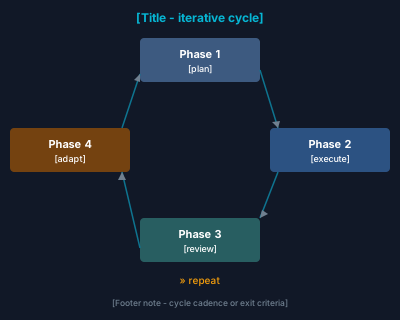
loop-cycle

gate-chain
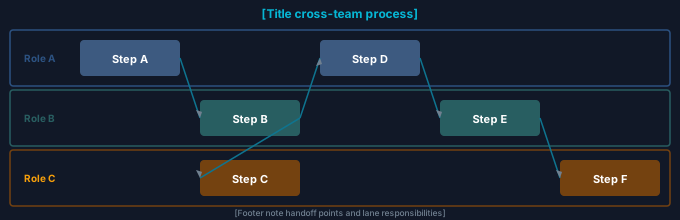
swimlane
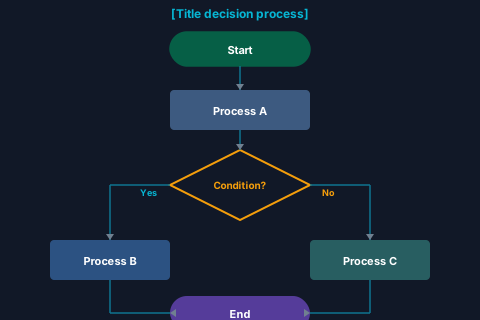
decision-flow
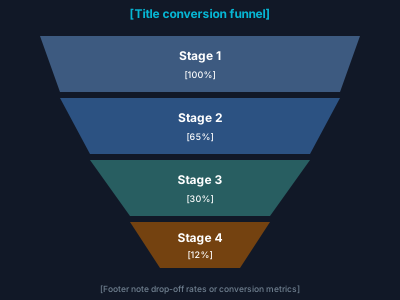
funnel
Structural & relational
Hierarchy, boards, and relationships — align with flowchart, mindmap, and (for networks) graph edges. Tree = generic node boxes; org chart = people cards (avatar, name, title, team line).
Maps to flowchart trees and org-style TD layouts, mindmap, and dense links similar to flowchart --- / --> edges. classDiagram / erDiagram cover typed relations on Diagram-as-code examples.
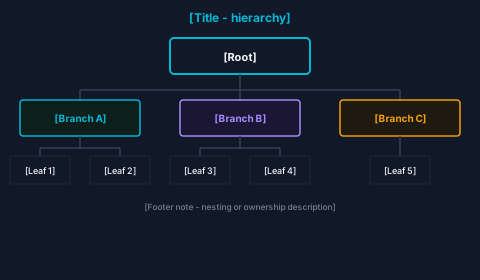
tree
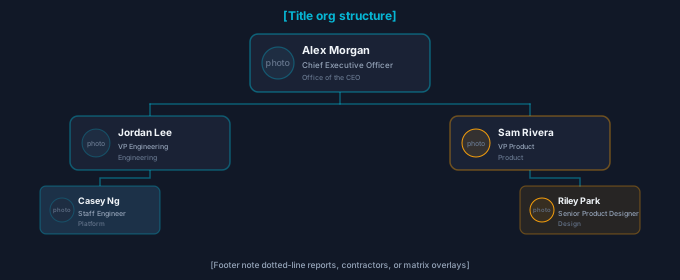
org-chart

board-columns
checklist
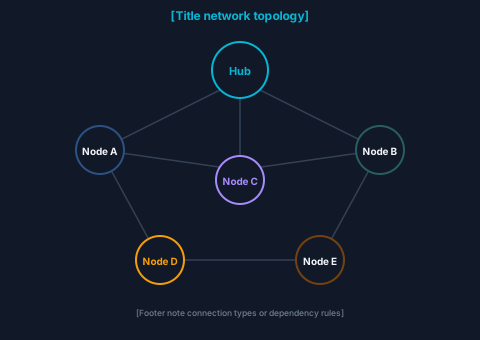
network
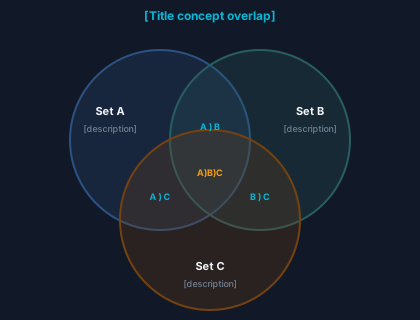
venn
Timeline & scheduling
Time-based views — pair with gantt and timeline grammars.
Direct grammars: gantt and timeline. Roadmaps often combine both; see Diagram-as-code examples.
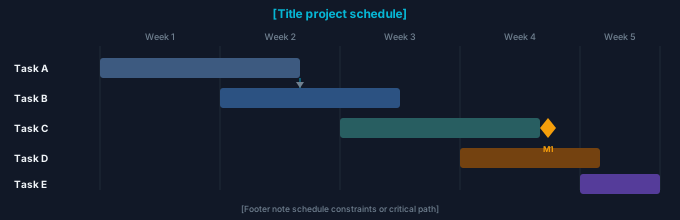
gantt
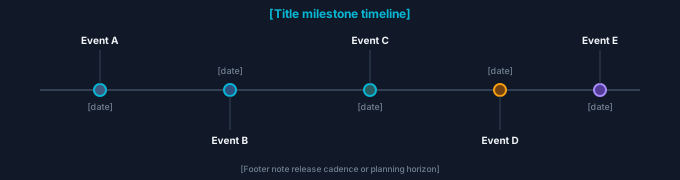
timeline
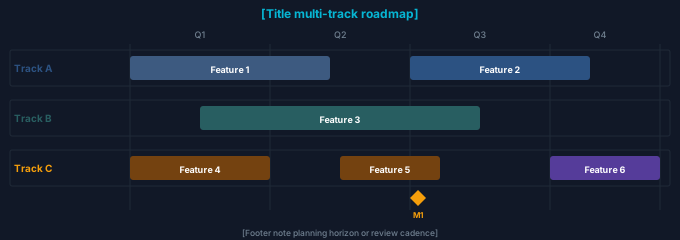
roadmap
Cartesian charts
Category and time-series on X/Y axes — bar, line, area, stacked bars, scatter, and waterfall bridges. Native grammars cover most via xychart-beta and quadrantChart; waterfall is SVG-first.
xychart-beta for bar, line, and multi-series; quadrantChart for scatter-like placement. Waterfall has no stock grammar in our pinned build — use the SVG template or BI tools. See Diagram-as-code examples.
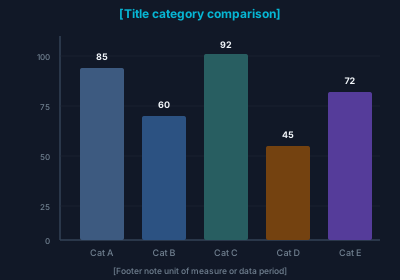
bar-chart
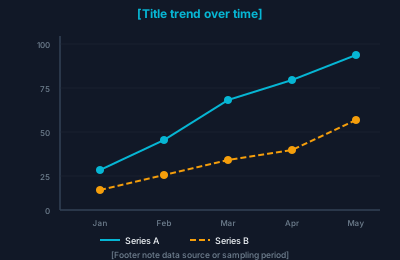
line-chart
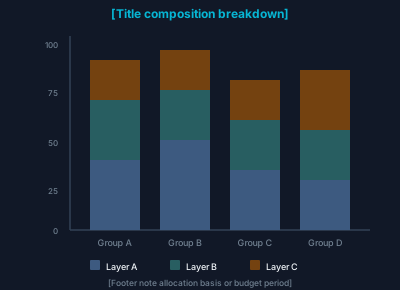
stacked-bar
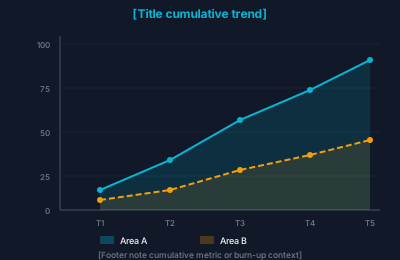
area-chart
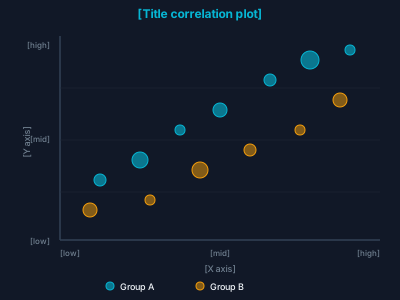
scatter
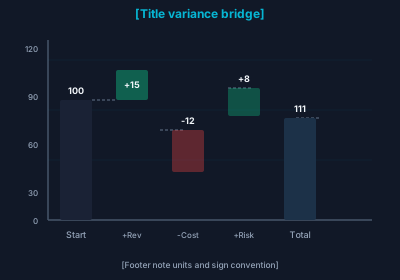
waterfall
Polar & composition
Parts-of-whole, multi-axis profiles, and nested rings — pie/donut, radar, and sunburst-style breakdowns. Only pie maps cleanly to native pie syntax; the rest are SVG-first.
pie is native. Radar and nested donut archetypes are Forge-styled SVG — use these cards or external charting. See Diagram-as-code examples for pie syntax.
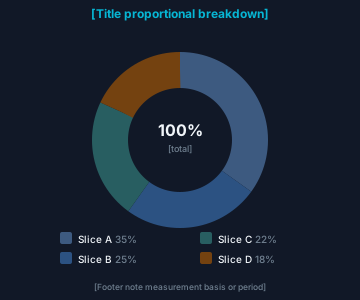
pie-donut
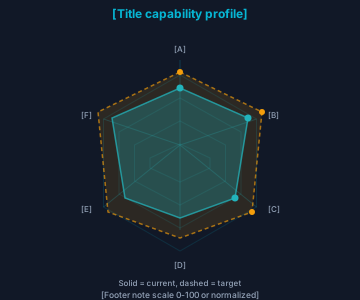
radar
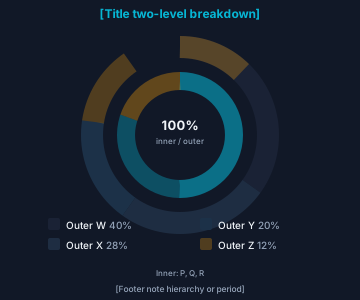
nested-donut
Comparison & status
Quadrants, gauges, KPI tiles, and bullet charts — quadrant via quadrantChart; gauges, bullets, and KPI cards are usually custom SVG or BI exports.
quadrantChart is native; gauges, KPI cards, and bullet charts have no stock type in our pinned build — keep these templates or embed from analytics tools.
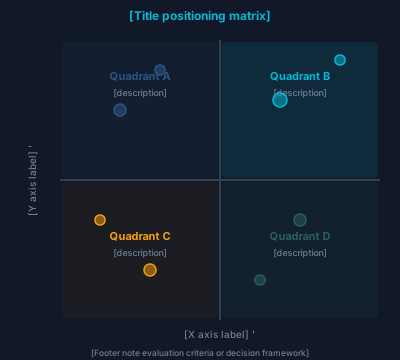
quadrant
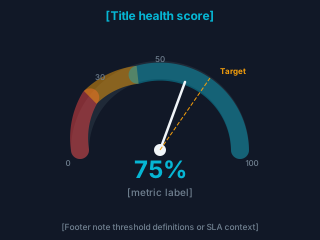
gauge
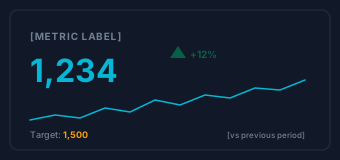
kpi-card
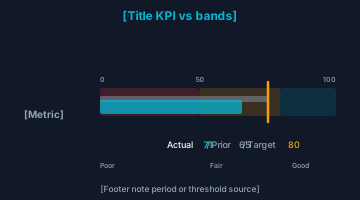
bullet-chart
Interaction & behavior
Message order across actors and finite-state lifecycles — pair with sequence and state diagrams.
Native: sequenceDiagram for lifelines and stateDiagram-v2 for states. Full syntax on Diagram-as-code examples.

sequence

state-machine
Autonomy methodology
Forge autonomy ladder, sub-level run evidence, and maturity score composition — content instances live in Blueprints and Platform handbooks.
SVG-first methodology diagrams; no diagram-as-code grammar. Content instances: methodology-autonomy-ladder-l1-l4-grades.svg and siblings in Blueprints.
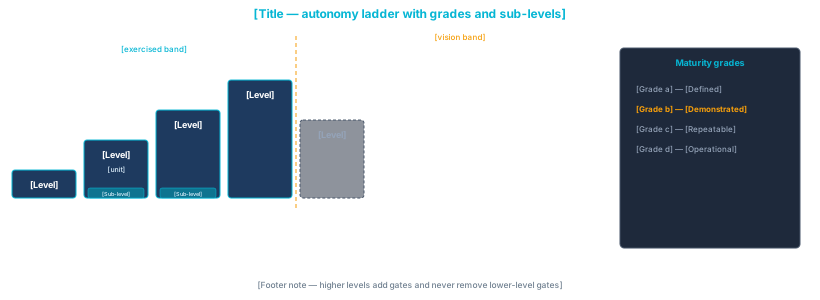
autonomy-ladder-grades
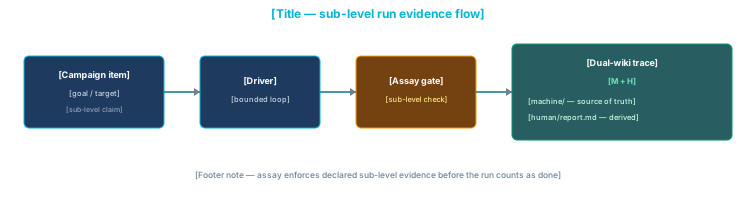
sublevel-run-evidence-flow
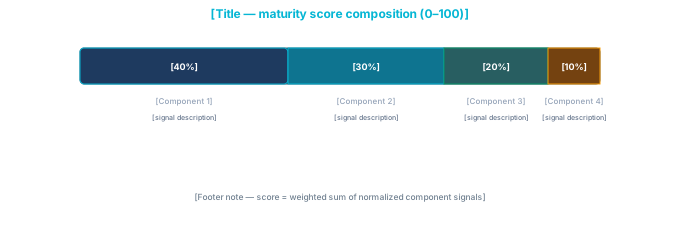
maturity-score-composition
Specialized
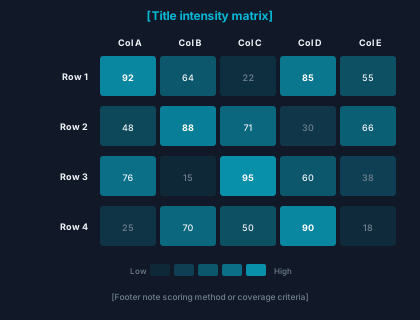
Heatmaps and other dense matrices — not in default bundle as first-class grammars.
No default mermaid@10 heatmap grammar; use this SVG archetype or external charting. Other specialized diagrams (e.g. requirementDiagram, gitGraph, C4) live on Diagram-as-code examples.
heatmap
Diagrams · diagram-as-code
- Purpose
- Diagram-as-code blocks rendered at runtime.
- Styling
- Wrapper
<div class="forge-diagram breathe-static">(optionalforge-diagram-trigger+onclickfor expand). Inner<div class="mermaid small">holds escaped source text. - Python
render_mermaid_block(diagram, expandable=False)— when expandable, adds trigger andopenDiagramModal(this).
Diagrams · Modal DOM contract
- Purpose
- Full-screen/lightbox SVG viewer shared by diagram gallery and layout previews.
- Markup
- Backdrop
#diagramModal.diagram-modal-backdropcontaining.diagram-modal, header (#diagramModalTitle, close button.diagram-modal-closecallingcloseDiagramModal()), body with#diagramModalCanvas.diagram-modal-canvasand#diagramModalDetail.diagram-modal-detail. - Behavior
showcase.jsimplementsopenDiagramWithDetail,openDiagramModal,openLayoutPreview(iframe + legend), scroll-spy on.ks-section[id]for ToC/sidebar.
Motion · Pulse
- Purpose
- Continuous soft glow to draw attention (hero metrics, alerts).
- Styling
.pulseon cyan/glass surfaces;.pulse-amberon amber glass.
Example
pulse
pulse-amber
Motion · Breathe
- Purpose
- Hover border/shadow oscillation on cards and diagram shells.
- Styling
.breathe-link(clickable) and.breathe-static(non-link). Often paired with.forge-cardor.forge-diagram.
Example
breathe-static
Motion · Stat counters
- Purpose
- Large number + label in a glass tile (dashboards, landing stats).
- Styling
- Container
.forge-statinside glass. Value.stat-value(add.text-amber/.text-cyanor inline color). Label.stat-label.
Example
12
Label A
42
Label B
Layouts · Overview
- Purpose
- Full HTML documents:
handbook_page,chapter_page,product_page,showcase_page,landing_page,marketing_page,listing_page,gallery_page,split_pageincomponents/layouts.py. - Canonical shell
showcase_pageis the reference documentation layout (header + sidebar + body + optional right ToC). Consumer generators should mirrorgenerator/build-showcase.py_render_pagekwargs (includinghas_mermaidfromPAGEwhen needed).- Live previews
- Build writes
preview-handbook.html,preview-chapter.html,preview-product.html,preview-split.htmlnext to other showcase HTML vialayout_previews.py. The Page Layouts page opens them in a modal iframe.
Layout functions (layouts.py)
| Layout | Structure / theme | Used by |
|---|---|---|
handbook_page | Blueprint handbook: sidebar + article + right ToC column. | blueprints-website |
chapter_page | Methodology chapter shell; uses docs-theme.css; often JS-hydrated nav. | blueprints-website chapters |
product_page | Marketing/product article + tier sidebar; forgesdlc-theme.css. | forgesdlc.com |
showcase_page | Sticky site header + sidebar + body + optional right .forge-toc — canonical doc shell. | Kitchensink showcase; consumer doc generators |
landing_page | Top nav + hero band + body; no sidebar. Use product_chrome_css_href for forgesdlc-theme.css; optional hero_band_extra_class (e.g. fs-hero-band--scrim). | Live preview-landing.html; showcase index.html |
marketing_page | Collapsible top nav + single article column; no hero band. Optional announcement_html. | Public marketing interiors; preview preview-marketing.html |
listing_page | Same chrome as marketing_page plus optional filter_sidebar_html and primary listing column (body_html). | Showcase enterprise-marketing.html; preview preview-listing.html |
gallery_page | Same shell as showcase but main column full width (no right ToC column). | diagrams.html |
split_page | Two-column main: left demo, right documentation. | Optional detail / playground pages |
Layouts · showcase_page
- Parameters
browser_title,page_title,sidebar_html,body_html,toc_html(optional),breadcrumb_html,footer_html,extra_css,extra_js(list of src paths),theme_css_href,theme_js_href,has_mermaid(optional, default false — injects diagram runtime init when true).- Structure
- Sticky header (brand, breadcrumb, H1) + scrollable left sidebar + main column + optional right
.forge-toc. - Used by
- Kitchensink showcase (this site) for most pages.
Layouts · landing_page
- Parameters
hero_html,body_html,nav_links_html,footer_html,announcement_html(optional full-width strip,.fs-site-announcement) — no sidebar.product_chrome_css_href(e.g.assets/forgesdlc-theme.css) aftertheme_css_href;hero_band_extra_classfor opt-in hero modifiers.- Used by
- Product homepages (e.g. forgesdlc.com, situ8.app). Live:
preview-landing.html. Showcase entry still usesindex.html.
Layouts · marketing_page
- Parameters
body_html,nav_links_html,footer_html,announcement_html(optional). No hero band; Bootstrap navbar collapse on small screens.- Used by
- Marketing interiors without
product_pagesidebar chrome. Live:preview-marketing.html.
Layouts · gallery_page
- Parameters
- Like showcase but no right-rail ToC column — wider main for grids.
- Used by
diagrams.html.
Layouts · split_page
- Parameters
left_html(demo),right_html(docs).extra_jspassed separately in builder.- Used by
- Optional pattern for playground + explanation pages.
Layouts · handbook_page
- Parameters
sidebar_html,body_html,toc_html— three-column blueprint handbook.- Used by
- blueprints-website generator.
Layouts · chapter_page
- Styling
- Uses
docs-theme.cssfor chapter chrome. - Used by
- Methodology chapters in blueprints-website.
Layouts · product_page
- Styling
forgesdlc-theme.css,fs-*layout and tier sidebar.- Used by
- forgesdlc.com static generator.
JS · forge-theme.js
- Purpose
- Theme preference persistence and Bootstrap
data-bs-themesync. - Cookie
forge_color_schemevalues:light,dark,auto(follow system).- DOM
- Dropdown roots
.forge-theme-dropdown; items withdata-forge-color-scheme; label.forge-theme-current. - Events
- Dispatches
forge-theme-appliedonwindowwith effective theme. - Diagram runtime / SVG
- File header documents diagram scaling and cluster animation hooks used on content pages.
JS · showcase.js
- Scroll-spy
IntersectionObserveron.ks-section[id]; toggles.activeon.forge-toc .nav-linkand#ks-sidebar-nav a[href^="#"].- Diagram modal
DIAGRAM_DETAILSmap keys matchonclickkeys in gallery cards.openLayoutPreviewembeds showcase pages orpreview-*.htmlin the modal iframe.
Product · forgesdlc-theme.css & fs-*
- Purpose
- Marketing/product site look separate from handbook dark docs.
- Tokens
- CSS variables use
--fs-*prefix (see stylesheet). Classes include.fs-layout,.fs-sidebar,.fs-brand,.landing-hero-*,.fs-cross-refs. - Python
render_product_landing_hero,render_cross_refs,render_product_footer,wrap_product_site_articleemit product markup.- Marketing sections
components/marketing_sections.py—render_marketing_stat_band,render_case_study_spotlight,render_people_showcase(see Marketing sections).- Live preview
- After
python3 generator/build-showcase.py, openshowcase/preview-product.html(or use the Layouts page “Open live preview” for product) — do not load product CSS on this handbook-themed page or variables will clash.
Relative link from this file: preview-product.html (same directory as for-agents.html) — includes render_product_landing_hero, render_product_footer, and notes on wrap_product_site_article.
wrap_product_site_article (landing bodies only)
Marketing · components/marketing_sections.py
- Purpose
- Composable KPI row, case study spotlight, and people grid for enterprise-style static marketing pages.
- Styling
- Uses
.forge-stat-band/.forge-stat,.fs-case-study-spotlight,.fs-people-showcaseinforgesdlc-theme.css; compose insidelanding_pagebody orwrap_product_site_article. - Imports
from components import render_marketing_stat_band, MarketingStatCell, …— symbols are exported from thecomponentspackage after core emitters load.- Live
presentation.html· Marketing sections.
Presentation · Stage vs rail
- Purpose
- Marketing and storytelling patterns live in the
fs-*product layer — not handbookforge-*primitives. - When to use stage
- One slide in view: heroes, testimonials, large galleries. Supports autoplay (disabled when
prefers-reduced-motion), swipe, keyboard, dots, arrows. - When to use rail
- Multiple peers horizontally: case-study cards, logos, media strips. CSS scroll-snap first; optional arrow nudging; optional vertical-wheel → horizontal scroll.
- Live examples
presentation.htmlin the built showcase.
Presentation · fs-stage-carousel
- Purpose
- Single-focus carousel: translate track inside fixed aspect-ratio viewport to avoid CLS.
- Styling
- Block in
forgesdlc-theme.css—.fs-stage-carousel,__viewport,__track,__slide,__overlay,__toolbar, modifiers--hero,--gallery,--testimonial. - Markup
- Root
<section data-fs-stage-carousel>withdata-fs-autoplay,data-fs-interval-ms,data-fs-loop,data-fs-show-arrows,data-fs-show-dots; live region.fs-stage-carousel__live(aria-live="polite"); slides are.fs-stage-carousel__slidewith stableids foraria-controlson dots. - Slide actions
data-fs-slide-action="lightbox"+data-fs-lightbox-src/data-fs-lightbox-alt;topic+data-fs-topic-href/data-fs-topic-titlecallsopenTopicPreviewModal;linkuses a full-size<a class="fs-stage-carousel__media-hit">.- Behavior
fs-presentation.jswires navigation, touch swipe, autoplay pause on hover/focus/manual nav (resume after pointer/focus leaves root), visibility pause, and dot generation.- Python API
render_stage_carouselfromcomponents/presentation.py(also re-exported fromcomponentspackage).
Live example
Presentation · fs-rail
- Purpose
- Horizontal multi-card / logo / media scroller with snap points and optional peek of the next card.
- Styling
.fs-rail,__scroller,__track,__item, modifiers--cards,--logos,--media,--peek.- Markup
- Root
<div data-fs-rail>withdata-fs-rail-arrows,data-fs-rail-wheel; prev/next.fs-rail__arrowflank.fs-rail__scroller. - Behavior
- Arrows call
scrollBy(~0.72 viewport width); optional wheel listener maps vertical delta to horizontal when enabled. - Python API
render_rail,render_card_rail.
Live example
Presentation · Derived Phase 1 components
- fs-hero-carousel
- Modifier
fs-stage-carousel--hero+ wide aspect; overlay copy and CTAs. - fs-gallery-carousel
--gallery; caption overlay on media; same-height viewport.- fs-thumb-gallery
- Wraps stage +
.fs-thumb-gallery__striptab-style thumbs; JS syncs selection. - fs-card-rail
fs-rail--cardswith.forge-cardcells.- fs-testimonial-slider
--testimonialtext-first slide layout.- fs-logo-strip
mode="grid"|"rail"|"marquee"; marquee uses duplicated segment + CSS animation (disabled when reduced-motion).
Live example
presentation.html — full section list in page ToC.
Presentation · components/presentation.py
- Purpose
- Typed slide/item dataclasses (
StageSlide,RailItem,LogoItem) and HTML emitters for product pages. - Styling
- Escapes text via
e/e_content; does not load CSS — consumer must includeforgesdlc-theme.css. - Imports
- Showcase
pages/presentation.pyimportspresentationandmarketing_sections(path listscomponents/); package consumers usefrom components import render_stage_carouselorrender_marketing_stat_band.
Inventory rows: Python · Function inventory.
Presentation · fs-presentation.js
- Purpose
- Stage carousel, thumb sync, rail arrows/wheel, dedicated image lightbox (
#fsMediaLightbox) — avoids sharing the diagram modal. - Load order
- After Bootstrap bundle and
forge-theme.jssoopenTopicPreviewModalexists for topic slide actions. - Lightbox
- Global
fsOpenMediaLightbox(src, alt); Escape and backdrop close; restoresbodyoverflow.